Set up your doc site
Consensys documentation sites are built using Docusaurus, a static site generator optimized for technical documentation. See the Docusaurus documentation for general information about creating and maintaining a Docusaurus site.
This page walks you through setting up a Docusaurus site for Consensys documentation. You'll use this template repository to set up your doc repository.
Prerequisites
Ensure you have permission in the Consensys-Incorporated GitHub organization to create a new repository. If you don't have permission, request it from Consensys Help Desk, which administers the GitHub organization.
Steps
-
Go to this repository on GitHub.
-
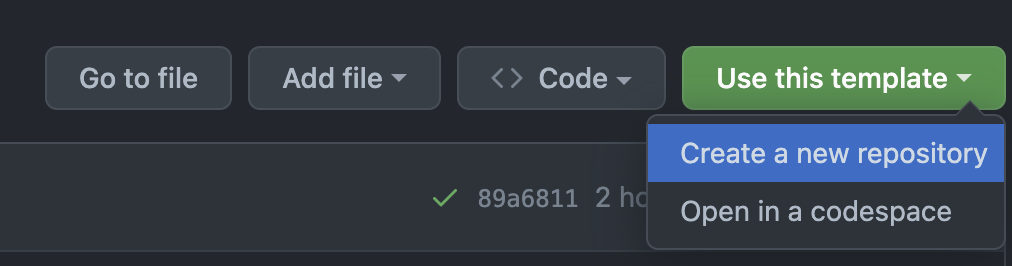
Select the green Use this template button, and Create a new repository.
-
Fill out the details for your fork from the template. Name the repository
doc.<product>. For example,doc.web3signer.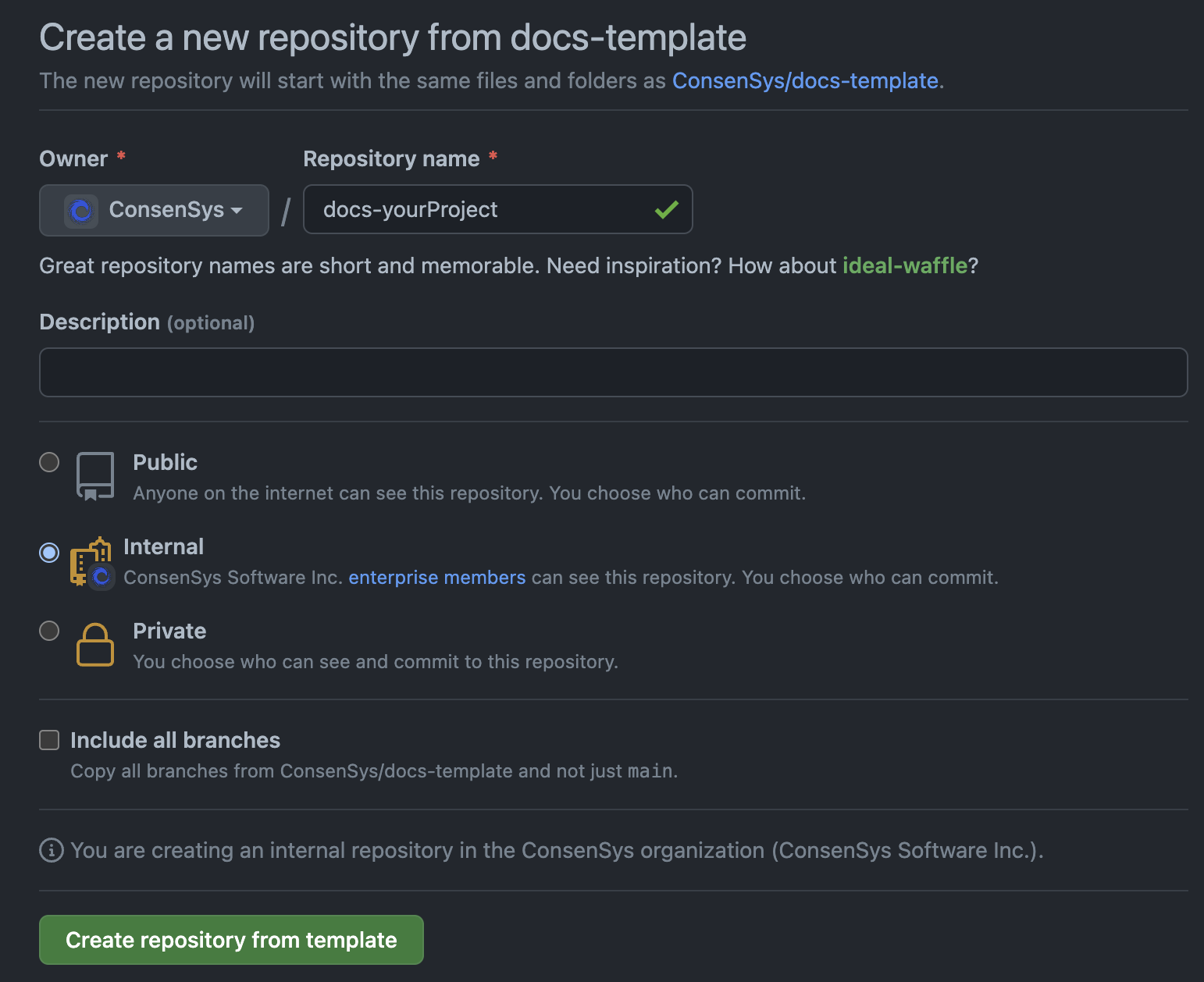
Choose Public, Internal, or Private depending on your needs. For internal repositories, any member of the Consensys-Incorporated GitHub organization can see your repository by default, whereas private repositories are completely hidden except to GitHub administrators of the organization.
-
After creating the repository, navigate to the Settings page which is on the far right side of the Code tab.
-
Ensure that the following settings are enabled/disabled on the General tab:
- General
- ❌ Template repository
- Features
- ❌ Wikis
- ✅ Issues
- ✅ Allow forking
- ❌ Sponsorships
- ❌ / ✅ Discussions
- ❌ / ✅ Projects
- Pull Requests
- ❌ Allow merge commits
- ✅ Allow squash merging
- ❌ Allow rebase merging commits
- ❌ / ✅ Always suggest updating pull request branches
- ❌ Allow auto-merge
- ✅ Automatically delete head branches
- General
-
Go to the Collaborators and teams under Access on the left sidebar. Select Add teams, and add documentation to add the Consensys developer docs team. Add any other teams, such as your own, as needed.
-
Enable branch protection on
main.
You've set up your new doc site! See how to run and preview your site locally.